A pharmaceutical website should help people find accurate information without unnecessary difficulty. Patients may visit to read medicine information, review safety guidance, locate clinical resources, or understand a treatment. Healthcare professionals may need product details, research documents, or prescribing information. If visitors cannot navigate the website or understand its content, they may leave before finding what they need.
Pharmaceutical website accessibility helps remove these barriers. It makes digital information easier to access for people with different abilities, devices, and browsing needs. It also supports clearer communication, better usability, and a more reliable online experience.
For pharmaceutical firms, accessibility should be part of website planning rather than a last-minute adjustment. This guide explains common barriers, practical ways to fix them, and how professional healthcare website development can help build a more accessible digital platform.
What Pharmaceutical Website Accessibility Means
Website accessibility means designing and developing digital experiences that people with disabilities can use. These include visitors with visual, hearing, motor, cognitive, or other access needs.
For the pharmaceutical sector, accessibility matters because websites often contain complex information. A single page may include medicine instructions, safety warnings, downloadable documents, charts, and online forms. If these elements are difficult to use, visitors may struggle to understand important information.
The Web Content Accessibility Guidelines (WCAG), published by the World Wide Web Consortium (W3C), provide a widely used framework for improving digital accessibility. WCAG 2.2 is a useful reference for planning and evaluating accessible websites.
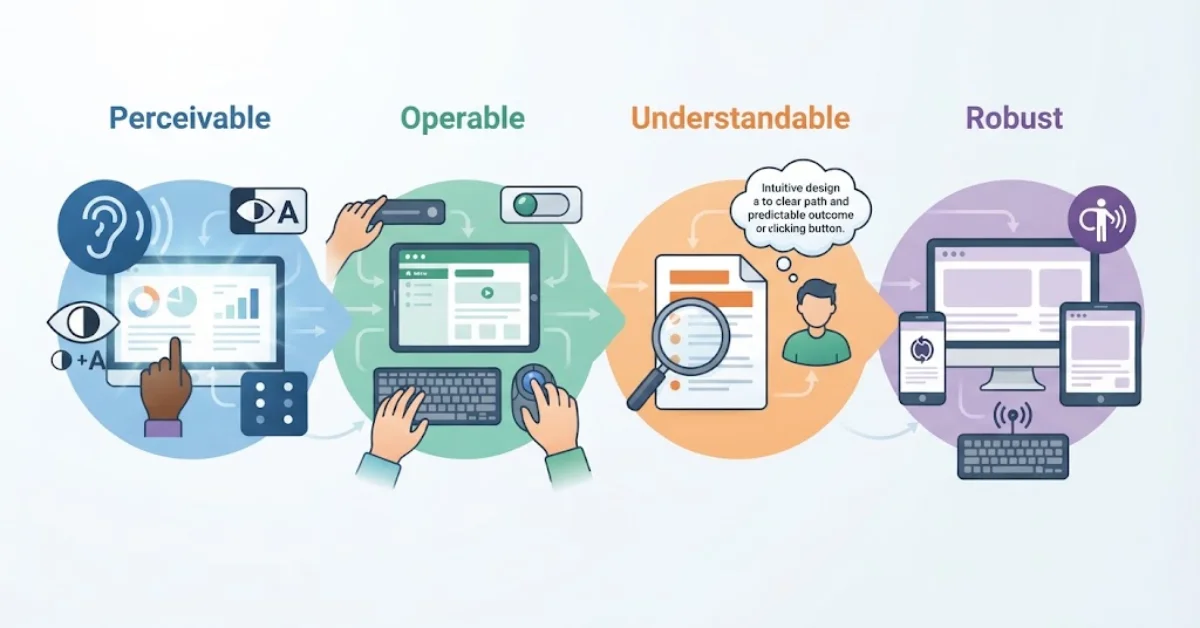
Its four main principles are:
- Perceivable: Information must be available in ways users can perceive.
- Operable: Navigation and controls must work for different input methods.
- Understandable: Content and interactions should be clear and predictable.
- Robust: Websites should work with a range of browsers and assistive technologies.
Following these principles gives pharmaceutical companies a practical foundation for reviewing their websites and prioritizing improvements.
Poor Navigation and Keyboard Access
A website may look polished but remain difficult to use without a mouse. Visitors who rely on a keyboard, switch device, or other assistive technology need a clear way to move between pages and interact with controls.
Common problems include menus that cannot be opened using a keyboard, unclear focus indicators, inaccessible dropdowns, and forms that trap keyboard users. A confusing page structure can also make product information harder to locate.
Practical fixes
Start by testing the website using only the keyboard. Check whether visitors can move through links, menus, buttons, and forms in a logical order. Make the active element clearly visible and ensure that interactive controls respond to standard keyboard commands.
Use descriptive menu labels and consistent page layouts. Provide a clear route to important sections, such as product information, safety resources, research materials, and contact details.
A professional pharmaceutical website design team can also review navigation on mobile devices and assistive technologies. These checks help identify problems that a visual review alone may miss.
Low Contrast, Images, and Difficult-to-Read Content
Visual barriers can make important medical information hard to read. Small text, pale colors, crowded layouts, and text placed over images can create problems for visitors with low vision or reading difficulties.
Images may also communicate essential information without providing an accessible text alternative. For example, a diagram explaining a treatment process may be difficult to understand if its key details are available only in the image.
Practical fixes
Use sufficient color contrast between text and its background. WCAG 2.2 Level AA generally calls for a contrast ratio of at least 4.5:1 for normal text and 3:1 for large text, subject to the guideline’s exceptions.
Choose readable font sizes, comfortable line spacing, and clear headings. Give meaningful images descriptive alternative text, while decorative images should generally use empty alt attributes so screen readers can skip them.
Keep paragraphs focused and explain technical terms when they first appear. Use accessible HTML headings rather than styling text to look like headings.
These improvements are especially valuable when visitors need to review medicine information or scientific content carefully.
Inaccessible Forms, Downloads, and Interactive Features
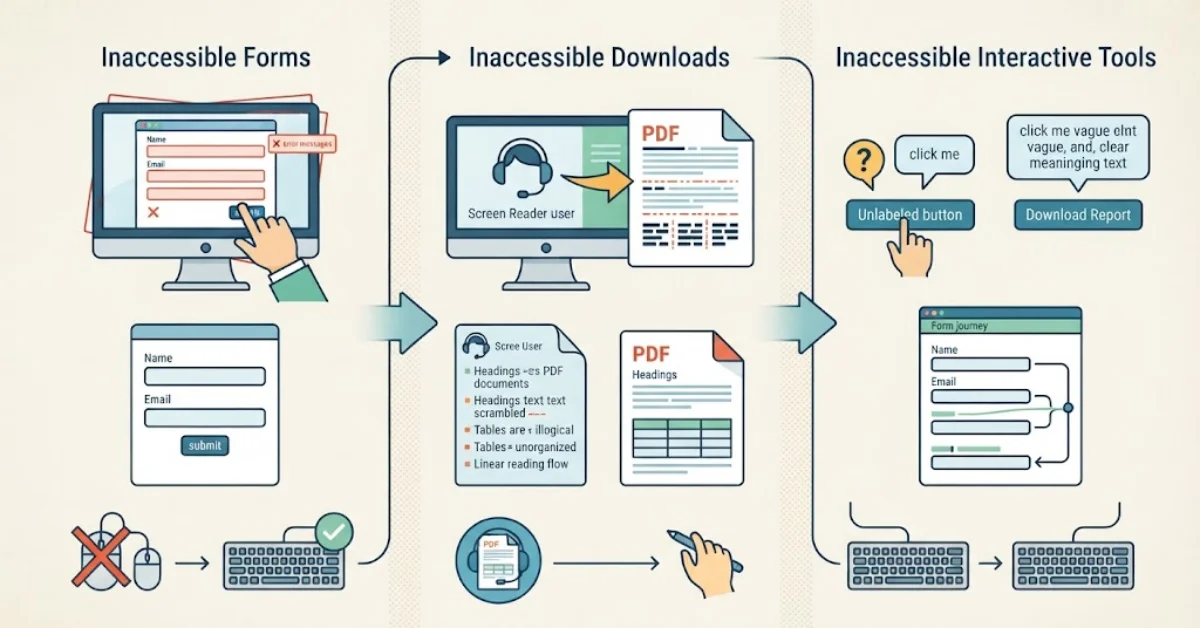
Many pharmaceutical websites ask visitors to submit inquiries, request information, register for events, or download clinical documents. These features can become barriers when their labels, instructions, or error messages are unclear.
PDF files are another frequent concern. A document may contain accurate information but still be difficult to use with a screen reader if its text, reading order, headings, and tables are not properly structured.
Interactive tools can create additional problems when buttons lack meaningful names or when important information appears only after a mouse action.
Practical fixes
- Give every form field a clear, programmatically associated label. Explain required fields before submission and provide helpful error messages.
- Test PDFs for selectable text, logical reading order, tagged headings, accessible tables, and meaningful link descriptions.
- Ensure that interactive elements work with a keyboard and expose clear names, roles, and states to assistive technology.
Do not rely on color alone to show an error or confirm that a form has been completed. Explain the problem in text and help users correct it.
When a website includes complex forms or third-party tools, test the complete user journey. An accessible homepage does not guarantee that every connected feature is accessible.
How to Build a Practical Accessibility Improvement Plan
Accessibility work becomes more manageable when teams assess real user journeys rather than trying to fix every page at once.
Begin with the pages that matter most to visitors. These might include medicine information, safety resources, research pages, contact forms, and document libraries. Review how people reach these pages, what information they need, and where they may encounter obstacles.
A structured assessment should combine automated testing with manual checks. Automated tools can identify many contrast, markup, and labeling issues, but they cannot reliably evaluate every aspect of usability. Human testing remains important, especially for keyboard navigation, screen reader behavior, and the clarity of medical content.
A practical improvement plan should cover:
- Discovery: Review priority pages, templates, forms, documents, and third-party features.
- Testing: Combine accessibility scanning with keyboard, zoom, and assistive-technology checks.
- Remediation: Fix high-impact barriers and establish accessible design and development standards.
- Validation: Retest changes and monitor new content and website releases.
Assign responsibility to the people who manage design, development, content, and compliance. Accessibility can decline when new pages, plugins, or documents are published without appropriate checks.
Keep a record of identified issues, their severity, corrective actions, and retest results. This gives the team a clear way to measure progress and maintain improvements.
Why Accessible Design Matters for Pharmaceutical Businesses
Accessibility is not simply a visual design preference. It affects how people interact with a company, access information, and complete important tasks.
An accessible website can reduce avoidable usability problems, make content easier to understand, and help more visitors reach relevant resources. Clear navigation and well-structured pages may also support engagement by making the next step easier to identify.
Accessibility can strengthen the quality of the overall digital experience, but it does not guarantee higher search rankings, more conversions, or legal compliance. Those outcomes depend on several factors, including implementation quality, content relevance, technical performance, and the needs of the audience.
For companies operating in the USA, legal obligations may depend on the business, the website, and the applicable federal or state requirements. WCAG is an important technical reference, but meeting a particular WCAG level does not automatically settle every legal question. Organizations should seek qualified legal guidance when assessing their specific obligations.
Pharmaceutical businesses should also keep accessibility separate from medical-content review. A page can be accessible yet contain inaccurate information, just as medically accurate content can be difficult to access. Both areas require appropriate review.
Choosing the Right Pharmaceutical Website Development Partner
Some accessibility problems can be corrected through content updates, while others require changes to templates, code, forms, document systems, or third-party integrations. The right approach depends on the website’s structure and the barriers identified during assessment.
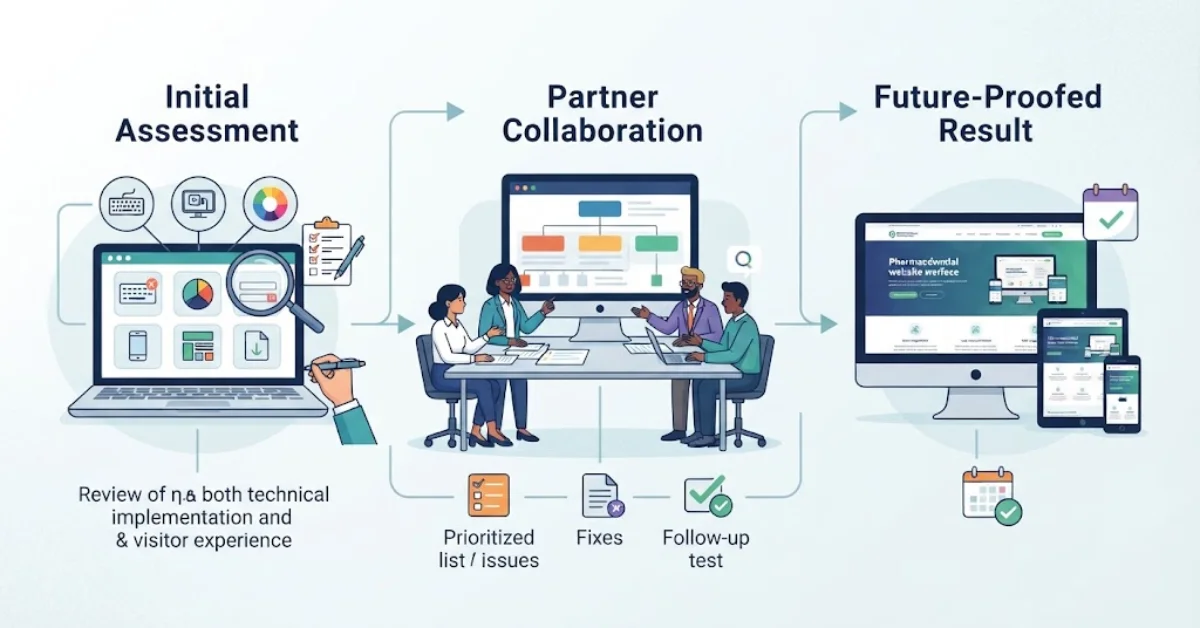
When choosing a development partner, look for a team that can review both the technical implementation and the visitor experience. Ask how it tests keyboard navigation, screen reader compatibility, contrast, form errors, responsive layouts, and downloadable documents.
A useful project should also include a clear scope, a prioritized list of issues, documented fixes, and follow-up testing. Ask whether accessibility checks will be included in future updates rather than limited to the initial launch.
We help healthcare organizations plan and develop professional websites with usability, mobile performance, and search visibility in mind. Our website design and development services can help businesses evaluate their digital experience, improve site structure, and build clearer paths to important information.
If your pharmaceutical website has outdated layouts, difficult forms, or content that visitors struggle to access, a focused review can help establish the right priorities before larger development changes begin.